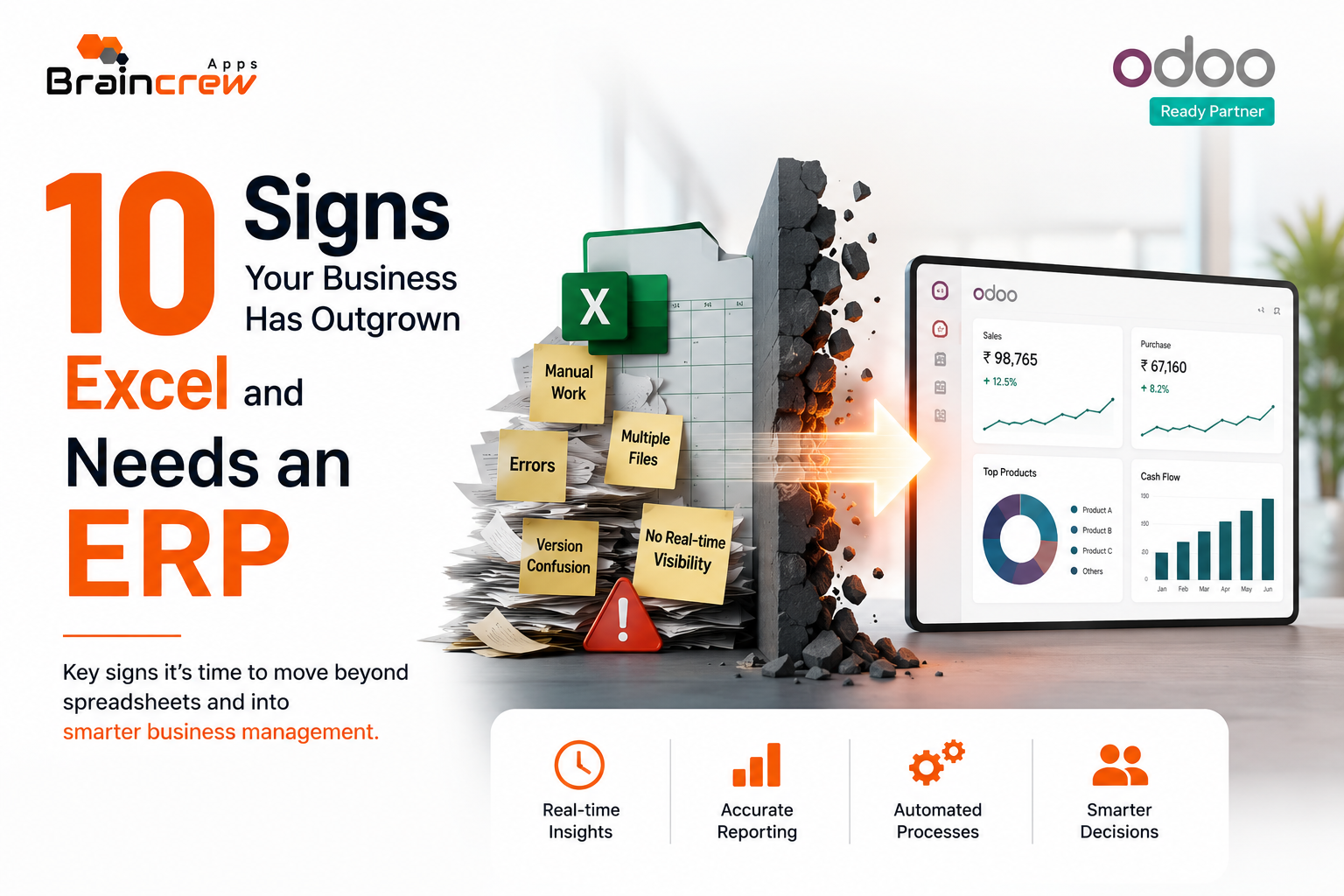
Excel is an excellent tool for managing small amounts of business data. But as a company grows, spreadsheets can quickly become difficult to manage. Multiple files, manual data entry, disconnected departments, and outdated reports can create costly inefficiencies.
If your teams are spending more time maintaining spreadsheets than making business decisions, it may be time to consider an ERP system. Professional Odoo ERP services can help businesses replace fragmented spreadsheet-based processes with a centralized and scalable ERP solution.
An ERP (Enterprise Resource Planning) system connects key business functions such as accounting, sales, inventory, purchasing, manufacturing, CRM, and reporting in one centralized platform.
For businesses evaluating Odoo ERP, recognizing these warning signs can help determine whether your organization is ready for ERP implementation.
Quick Answer: When Does a Business Need an ERP?
Your business may need an ERP when spreadsheets can no longer provide reliable, real-time visibility across departments. Frequent data duplication, inventory errors, manual reporting, delayed financial information, disconnected systems, and growing operational complexity are common signs that it’s time to consider ERP software for business.
Here are 10 signs your business may have outgrown Excel.
1. Your Business Uses Multiple Spreadsheets for Everything
If sales, finance, inventory, purchasing, HR, and operations each maintain separate Excel files, your data is probably fragmented.
Employees may spend hours copying information between spreadsheets, increasing the risk of duplicate or incorrect data.
An ERP system brings these processes together, allowing departments to work from a centralized source of information.
2. You Don't Have Real-Time Business Visibility
Can your management team instantly answer questions such as:
- How much inventory is available?
- Which invoices are overdue?
- What are today’s sales?
- What is the current cash position?
- Which products are performing best?
If employees need to combine several spreadsheets before answering these questions, your business may benefit from real-time ERP reporting.
With Odoo ERP, businesses can connect operational data and use dashboards and reports to gain better visibility across departments.
3. Inventory Errors Are Becoming More Common
Inventory becomes increasingly difficult to manage as product volumes, warehouses, suppliers, and sales channels grow.
If your business frequently experiences:
- Stock discrepancies
- Overstocking
- Stockouts
- Manual stock adjustments
- Delayed inventory updates
then spreadsheets may no longer be sufficient.
An inventory management system can provide centralized stock information, automated movements, purchasing workflows, and warehouse visibility.
4. Your Team Spends Too Much Time on Manual Data Entry
Manual data entry is one of the biggest productivity problems associated with spreadsheet-based processes.
For example, an employee may enter a sales order into Excel, update inventory separately, create an invoice manually, and then send the information to accounting.
An ERP can connect these processes so that information flows automatically between departments.
This reduces repetitive work and gives employees more time to focus on higher-value activities.
5. Financial Reporting Takes Too Long
If month-end reporting requires collecting information from multiple spreadsheets, emails, and accounting systems, your financial team may be spending too much time preparing reports.
A modern ERP accounting system can connect sales, purchases, expenses, invoices, payments, and financial reporting.
This helps management access more timely information for business decisions.
6. Your Departments Are Working in Silos
Sales may have one database.
Finance may use another system.
Warehouse teams may maintain spreadsheets.
Purchase managers may rely on emails.
When departments operate independently, information becomes difficult to share and business processes become slower.
An ERP integrates these functions into one platform, helping create a connected workflow across the organization.
7. Customer Information Is Scattered Across Different Tools
If customer details, sales opportunities, quotations, orders, invoices, and communication history are stored in different systems, your sales team may struggle to get a complete customer view.
A CRM and ERP integration can connect customer information with sales, inventory, accounting, and fulfillment.
Odoo combines CRM and business applications within its broader ERP ecosystem, helping organizations manage connected workflows.
8. Your Business Is Growing Across Multiple Locations
Managing multiple warehouses, branches, companies, or business units through spreadsheets becomes increasingly complicated.
You may need centralized visibility into:
- Branch performance
- Inventory
- Sales
- Purchasing
- Accounting
- Employees
- Customers
A scalable ERP software solution can help businesses manage multiple operations from a centralized platform.
This becomes particularly important when organizations expand into new locations or markets.
9. Employees Are Creating Their Own "Systems"
A major warning sign is when employees develop personal spreadsheets to compensate for limitations in your existing systems.
You may discover separate files for:
- Sales forecasting
- Inventory tracking
- Purchase planning
- Customer management
- Expense reporting
- Production planning
This creates multiple versions of business information.
A centralized ERP can establish standardized workflows and reduce dependence on individual spreadsheets.
10. Management Wants Automation and Better Decision-Making
Perhaps the clearest sign is that your business wants to automate operations but your current tools cannot keep up.
Modern businesses need more than data storage. They need:
- Workflow automation
- Real-time dashboards
- Integrated accounting
- Inventory visibility
- CRM automation
- Purchase management
- Manufacturing management
- Business analytics
- AI-powered capabilities
This is where an ERP implementation can become a strategic investment rather than simply another software purchase.
Why Consider Odoo ERP?
If your business has identified several of these problems, Odoo ERP may be worth evaluating.
Odoo provides a broad ecosystem of business applications covering areas such as CRM, sales, accounting, inventory, purchase, manufacturing, project management, HR, and more.
Instead of managing disconnected software and spreadsheets, businesses can build an integrated system around their actual workflows.
The biggest advantage isn’t simply replacing Excel.
It’s creating a single source of truth for your business.
Excel vs ERP: When Should You Make the Switch?
Excel can remain useful for analysis, quick calculations, and smaller processes. The goal isn’t necessarily to eliminate spreadsheets completely.
The question is whether Excel is still the right tool for running your core business operations.
If spreadsheets are causing errors, delays, duplicate work, poor visibility, and limited scalability, an ERP may provide a better foundation for growth.
Conclusion
Excel is powerful, but it isn’t designed to manage increasingly complex business operations across multiple departments.
When your business starts experiencing fragmented data, manual processes, inventory problems, delayed reporting, and disconnected workflows, ERP software can provide the centralized infrastructure needed to scale efficiently.
For businesses considering Odoo, the next step shouldn’t simply be choosing software. Start by mapping your current processes, identifying bottlenecks, calculating the cost of manual work, and determining which Odoo modules your business actually needs.
A well-planned Odoo ERP implementation can help transform disconnected processes into a more integrated, automated, and data-driven business environment.
FAQ
What are the main signs that a business needs an ERP?
Common signs include spreadsheet dependency, manual data entry, inventory errors, disconnected departments, delayed reporting, and limited real-time visibility.
Is Odoo better than Excel for business management?
Excel works well for smaller tasks, while Odoo can connect multiple business functions and automate complex workflows as an organization grows.
Can Odoo replace Excel completely?
Odoo can replace many spreadsheet-based operational processes, although businesses may still use Excel for analysis and specialized calculations.
How can I choose the right ERP for my business?
Start by documenting your workflows, identifying business requirements, comparing ERP features, estimating total cost, and evaluating implementation support.